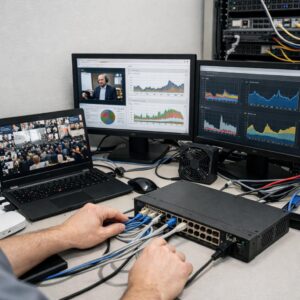
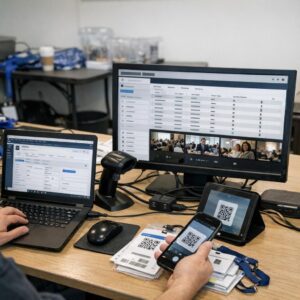
What if your global keynote is perfectly streamed-but the audience remembers only the awkward half-second delay?
In hybrid events, audio latency is more than a technical nuisance; it disrupts speaker timing, interpreter accuracy, remote Q&A, panel handoffs, and audience trust.
The challenge is that latency rarely comes from one place. It can build across microphones, mixers, encoders, cloud platforms, CDNs, video conferencing bridges, and regional network routes.
This guide breaks down how to identify, measure, and troubleshoot audio delay before it turns a polished international livestream into a fragmented experience.
What Causes Audio Latency in Global Hybrid Event Livestreams
Audio latency in global hybrid event livestreams usually comes from several small delays stacking up across the production chain. A microphone may feed into a digital audio mixer, then into an encoder, cloud streaming platform, content delivery network, and finally the viewer’s device. Each step adds processing time, and when speakers are joining from different countries, the delay becomes much easier to notice.
Common causes include poor network routing, overloaded encoders, mismatched sample rates, and video platforms adding buffer time to protect stream quality. For example, a panelist on a hotel Wi-Fi connection in Singapore may sound half a second behind a moderator in London, even if both are using professional event production software like vMix or OBS Studio.
- Internet instability: Packet loss, jitter, and weak upload speed can delay live audio before it even reaches the streaming server.
- Cloud production delay: Platforms such as Zoom, Microsoft Teams, or remote contribution tools may add noise reduction, echo cancellation, and buffering.
- Device and hardware processing: Audio interfaces, Bluetooth headphones, HDMI capture cards, and digital mixers can introduce extra latency if not configured correctly.
In real-world hybrid conferences, I often see latency caused less by one “bad” tool and more by inconsistent setups between presenters. One speaker uses a wired headset and Ethernet, while another uses AirPods and public Wi-Fi. That difference alone can affect audio sync, production cost, viewer experience, and the overall quality of the livestream service.
How to Diagnose and Fix Audio Sync Problems Across Remote Speakers, Encoders, and Platforms
Start by isolating where the audio latency is being introduced: the remote speaker’s device, the contribution feed, the encoder, or the livestream platform. In real productions, I often see sync drift caused by a presenter using Bluetooth earbuds on Zoom while the video is routed separately through a hardware encoder such as Blackmagic ATEM Mini Pro.
Run a simple clap test before rehearsals and again after going live privately. Ask each remote speaker to clap once on camera, then compare the visual clap to the audio peak inside tools like OBS Studio, vMix, or Wirecast. If the clap lands late, add audio delay; if the sound arrives first, delay the video path instead.
- Remote speaker issue: switch from Bluetooth to wired headphones, close background apps, and use Ethernet instead of Wi-Fi.
- Encoder issue: check sample rate settings, usually 48 kHz, and avoid mixing USB audio interfaces with mismatched clock sources.
- Platform issue: compare YouTube Live, Vimeo, or LinkedIn Live preview latency before blaming your production mixer.
For multi-location hybrid events, keep a sync log for each input: speaker name, connection method, audio delay applied, and platform destination. This is especially useful when streaming to multiple platforms through a service like Restream, where each destination may process video slightly differently.
A practical fix is to apply delay at the production switcher or software mixer, not on every speaker’s laptop. Central control reduces mistakes, saves troubleshooting time, and protects the viewer experience during paid webinars, investor briefings, and enterprise livestream services.
Advanced Latency Prevention Strategies for Multi-Region Hybrid Event Production
For multi-region hybrid events, the best latency fix is prevention at the network design stage. Use regional contribution hubs instead of sending every remote speaker directly to one master control room, especially when working with corporate livestream production, virtual event platforms, and managed broadcast services.
A practical setup is to route Europe-based presenters to a Frankfurt or London cloud ingest point, APAC speakers to Singapore, and North American presenters to a U.S. media operations center. Platforms like Wowza, Haivision Makito X, LiveU, or AWS Elemental MediaConnect can help stabilize contribution feeds while keeping audio sync easier to manage.
- Use fixed audio delay presets: Create tested delay profiles for each region instead of adjusting manually during the live show.
- Prioritize wired contribution paths: Ethernet and bonded cellular are more predictable than hotel Wi-Fi or shared conference networks.
- Separate monitoring from program audio: Keep producer talkback, presenter IFB, and broadcast audio on dedicated routes to avoid echo and timing confusion.
In one enterprise product launch, the main latency issue was not the streaming platform but inconsistent return audio to remote executives. Moving the return feed to a lower-bitrate SRT path and keeping the public livestream on a separate CDN workflow made cueing cleaner without reducing viewer quality.
Run a full technical rehearsal at the same time of day as the actual event, because network congestion often changes by region. Measure glass-to-glass latency, audio drift, packet loss, and encoder buffer behavior, then document the cost, settings, and benefits of each workflow so the production team is not guessing under pressure.
Expert Verdict on Troubleshooting Audio Latency Issues in Global Hybrid Event Livestreams
Audio latency in global hybrid livestreams is rarely solved by one setting; it is controlled by disciplined system design, testing, and real-time monitoring. The practical takeaway: treat latency as a production risk, not a last-minute technical nuisance.
Choose workflows based on audience priority: ultra-low latency for interaction, higher buffering for stability, and dedicated audio routing when sync matters most. Before going live, validate every link in the chain-from microphones and encoders to platforms and remote contributors. The best decision is the one that balances speed, reliability, and viewer experience for the specific event, not the most advanced setup on paper.