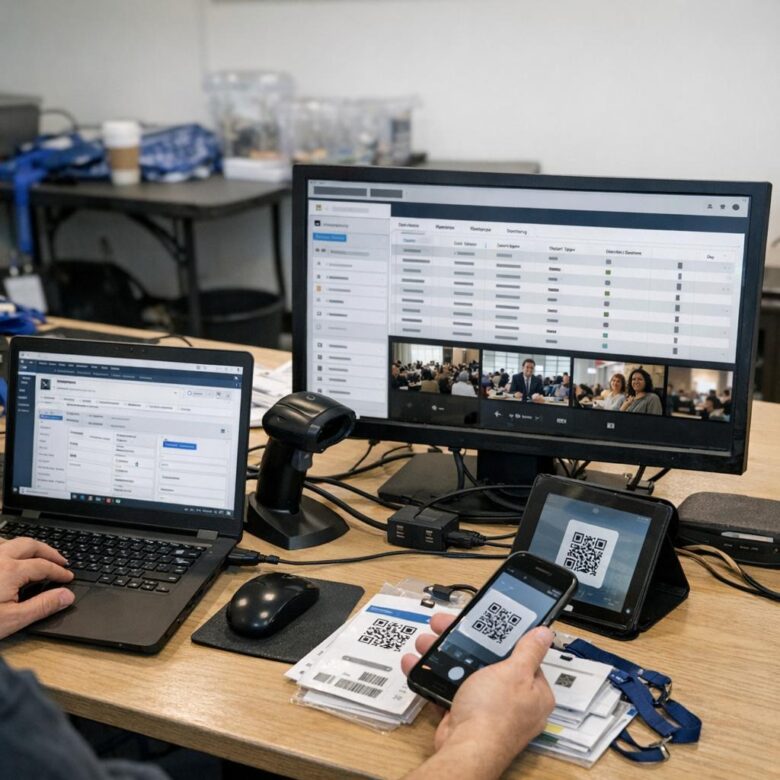
What if your ticketing system is quietly sabotaging your CRM strategy?
Multi-day virtual conferences generate a constant stream of attendee data: registrations, session choices, check-ins, engagement signals, upgrades, drop-offs, and post-event actions. Without CRM integration, much of that intelligence stays trapped in the ticketing platform.
Connecting CRM software with virtual conference ticketing turns fragmented event activity into usable customer insight. Sales, marketing, and event teams can see who attended, what they cared about, how engaged they were, and when to follow up.
For organizations running complex online events, this integration is no longer a technical convenience. It is the foundation for better attendee experiences, cleaner data, stronger sponsorship value, and measurable event ROI.
What CRM Integration Adds to Multi-Day Virtual Conference Ticketing Workflows
CRM integration turns a ticketing system from a simple checkout page into a connected attendee management workflow. When platforms like Salesforce, HubSpot, or Zoho CRM sync with virtual event ticketing software, every registration, payment status, ticket type, session interest, and company detail can flow into one customer profile. This is especially useful for multi-day conferences where attendee behavior changes from day one to day three.
For example, if a marketing manager buys a VIP ticket, attends two cybersecurity sessions, but skips the product demo, the CRM can trigger a different follow-up than someone who attended every sales enablement workshop. In real event operations, this saves teams from exporting spreadsheets, manually tagging leads, and guessing which sponsors or sales reps should follow up. It also improves lead scoring, email personalization, and post-event revenue tracking.
- Cleaner attendee data: registration forms, payment processing details, promo codes, and session selections are stored in one CRM record.
- Better marketing automation: teams can send reminders, upsell premium passes, or promote day-two sessions based on actual attendee activity.
- Stronger sponsor value: exhibitors can receive qualified leads based on engagement, job title, industry, and content interest.
The biggest benefit is visibility. Instead of treating ticket sales, virtual attendance, and follow-up emails as separate tasks, CRM integration connects the full conference journey-from first ad click to registration, attendance, sales outreach, and renewal campaigns. For paid virtual events, enterprise conferences, and continuing education programs, that connection can directly affect customer acquisition cost, sponsorship ROI, and future ticket sales.
How to Connect Registration, Attendance, and Session Data Between Ticketing Platforms and CRM Software
The cleanest way to connect ticketing data with CRM software is to map each attendee action to a specific CRM field or activity. For example, a paid registration from Eventbrite can create or update a contact in Salesforce, while check-in status, ticket type, company name, and consent preferences are stored as separate properties for segmentation and follow-up.
For multi-day virtual conferences, do not stop at basic registration sync. Attendance and session engagement are often more valuable for sales and marketing automation because they show intent. A sponsor lead who attended “Cloud Security Pricing Models” should be scored differently from someone who only registered and never joined.
- Sync registration data: name, email, company, job title, ticket cost, coupon code, and payment status.
- Sync attendance data: live check-ins, no-shows, watch time, replay views, and device or location details where available.
- Sync session data: sessions attended, questions asked, poll responses, downloads, and meeting bookings.
In practice, teams often use native integrations, Zapier, Make, or an API connection between tools like HubSpot, Zoom Events, Bizzabo, Cvent, or Salesforce. A useful setup is to create CRM workflows that tag attendees by session topic, then trigger personalized email campaigns, sales tasks, or lead scoring updates within 24 hours.
One real-world lesson: standardize field names before the event. If “Company” in the ticketing platform syncs to “Organization” in the CRM without proper mapping, you can end up with duplicate records, poor attribution, and inaccurate event ROI reporting.
Common CRM-Ticketing Integration Mistakes That Hurt Attendee Segmentation, Follow-Up, and Revenue Tracking
One of the most expensive mistakes is syncing only basic attendee data, such as name and email, while ignoring ticket type, session attendance, coupon codes, payment status, and company size. For a multi-day virtual conference, that missing context can make every lead look the same in HubSpot, Salesforce, or Zoho CRM, which weakens lead scoring, sponsor reporting, and post-event sales follow-up.
Another common issue is poor field mapping between the ticketing platform and CRM software. For example, if “VIP Pass” is pushed into a generic notes field instead of a dedicated lifecycle or product-interest field, the sales team may miss high-value prospects who paid for premium access or attended buyer-focused workshops.
- Duplicate contacts: Use email-based matching and CRM deduplication rules before the event goes live.
- Delayed syncing: Real-time or near real-time integration matters when sales reps need to follow up after key sessions.
- No revenue attribution: Track ticket revenue, upsells, refunds, and promo codes inside CRM campaigns, not just in the ticketing dashboard.
A practical safeguard is to test the full registration journey with sample attendees before launch: free pass, paid pass, sponsor guest, refunded ticket, and upgraded ticket. In real event operations, this test often reveals broken automation, missing UTM data, or workflows that send the same email sequence to executives, students, and existing customers.
Clean integration is not just a technical task. It directly affects attendee segmentation, CRM reporting, customer acquisition cost analysis, and the ability to prove which virtual conference sessions influenced pipeline and revenue.
Closing Recommendations
The real value of CRM-ticketing integration is not automation alone, but better control over the attendee journey. For multi-day virtual conferences, choose systems that sync registration data, session behavior, payment status, and engagement signals without creating manual work or fragmented records.
Before committing, assess whether the integration supports your event complexity, reporting needs, privacy obligations, and post-event sales or community goals. The best choice is the one that helps your team act faster, personalize follow-up, and turn attendee data into measurable business outcomes long after the final session ends.

Dr. Lucas Harrington is a technology and business events specialist focused on virtual conferences, hybrid event solutions, and professional networking platforms. He provides practical guidance for companies adapting to the future of digital events.