What if your biggest keynote moment fails because your network peaks 90 seconds too early?
High-traffic virtual keynotes compress thousands of viewers, video streams, chat messages, backstage tools, and production workflows into one unforgiving window.
Bandwidth bottlenecks rarely announce themselves politely; they show up as frozen speakers, delayed slides, dropped attendees, and a flood of support complaints.
Preventing them requires more than “good internet.” It takes traffic forecasting, platform tuning, redundancy planning, and real-time monitoring built specifically for peak-event load.
What Causes Bandwidth Bottlenecks in High-Traffic Virtual Keynotes?
Bandwidth bottlenecks usually happen when too many viewers, video feeds, and cloud services compete for the same network capacity. In a high-traffic virtual keynote, the pressure often comes from HD live streaming, screen sharing, real-time chat, audience polling, and backup recordings running at the same time.
One common issue is underestimating upload speed at the presenter’s location. For example, a company may host a keynote on Zoom Events or Microsoft Teams from a hotel conference room, only to discover that the shared Wi-Fi is also being used by guests, staff devices, and other meetings nearby.
Another major cause is poor content delivery planning. If the virtual event platform does not use a reliable CDN, such as Cloudflare or Akamai, viewers in different regions may experience buffering, delayed audio, or reduced video quality even when their own internet connection is strong.
- High video bitrate: 1080p or 4K streams look professional but require more bandwidth and stronger network stability.
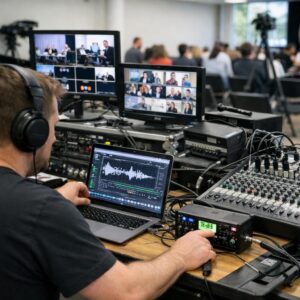
- Too many live production tools: RTMP encoders, virtual cameras, overlays, and cloud recording can overload weak connections.
- Unsegmented office networks: Employees, VoIP phones, security cameras, and guest Wi-Fi can quietly consume capacity during the keynote.
In real event production, the bottleneck is rarely one single thing. It is usually a mix of insufficient internet bandwidth, weak router hardware, poor QoS settings, and a lack of pre-event network testing.
How to Prepare Your Streaming Infrastructure for Peak Audience Demand
Start by sizing your streaming infrastructure for peak concurrent viewers, not average registrations. A keynote with 10,000 sign-ups may only draw a fraction live, but if a product launch, investor event, or paid virtual conference is heavily promoted, you need enough CDN capacity, cloud bandwidth, and video encoding resources to absorb sudden traffic spikes.
Use a reliable content delivery network such as Cloudflare Stream, Akamai, or Amazon CloudFront to reduce latency and move video traffic closer to viewers. In practice, I’ve seen teams avoid buffering issues simply by enabling multi-CDN routing instead of relying on one origin server and hoping it holds up during the opening keynote.
- Run a load test: Simulate expected viewer traffic before the event using tools like k6 or Loader.io.
- Enable adaptive bitrate streaming: Let viewers on weaker connections receive a lower-resolution stream without disrupting everyone else.
- Prepare backup ingest paths: Have a secondary encoder, internet connection, and streaming endpoint ready.
Also review your webinar platform or virtual event software plan carefully. Some providers charge extra for higher attendee limits, premium bandwidth, cloud recording, or enterprise-level support, and discovering that during a live keynote is expensive in more ways than one.
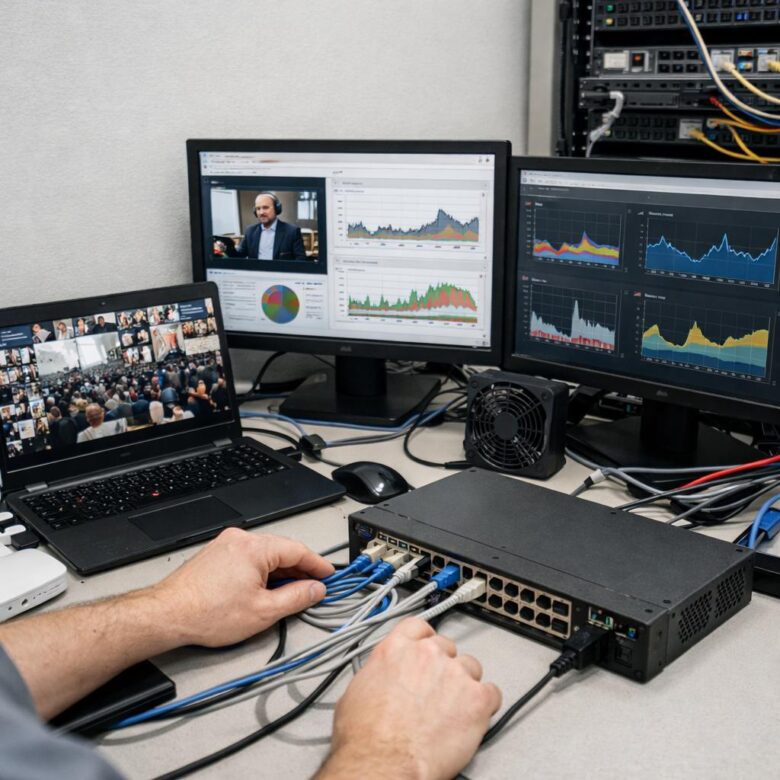
Finally, monitor the stream in real time using analytics from platforms like Vimeo Enterprise, Wowza, or YouTube Live Control Room. Watch bitrate drops, error rates, startup time, and regional performance so your technical team can react before viewers start leaving or flooding support chat.
Common Bandwidth Planning Mistakes That Disrupt Virtual Keynote Performance
One of the biggest mistakes is planning bandwidth based on average office usage instead of peak event demand. A virtual keynote running on Zoom Events, Microsoft Teams, or a cloud webcast platform needs clean upload capacity, not just a fast download speed advertised by an internet service provider. I’ve seen teams with a “1 Gbps business internet plan” still struggle because shared Wi-Fi, VPN traffic, and cloud backups were eating into the same connection.
Another common issue is ignoring the production side of the event. If the speaker, streaming technician, and backup encoder are all on the same network, you need dedicated bandwidth, QoS rules, and ideally a wired Ethernet setup. For example, a company hosting a CEO keynote from a conference room avoided buffering only after moving the encoder off guest Wi-Fi and onto a dedicated VLAN with priority traffic rules.
- No backup connection: Relying on one ISP without a 5G router, secondary fiber line, or SD-WAN failover creates unnecessary risk.
- Testing too late: Running a speed test on event day is not enough; use tools like Speedtest by Ookla and network monitoring during rehearsals.
- Forgetting attendee scale: Large audiences may require a CDN-enabled video platform, especially for global employees or paid virtual conference access.
Bandwidth planning should also include real costs: enterprise internet SLA, webcast production services, backup hardware, and managed network support. These are cheaper than a keynote that freezes during a product launch.
Summary of Recommendations
Preventing bandwidth bottlenecks is ultimately a planning decision, not a last-minute technical fix. Treat every high-traffic keynote as a capacity-critical event: test under realistic load, choose platforms with proven scalability, prepare backup streams, and align production teams on response protocols before going live. The best decision guidance is simple: if the keynote is mission-critical, invest in redundancy, monitoring, and professional-grade delivery rather than relying on default settings or assumptions. A smooth virtual keynote protects audience trust, keeps engagement intact, and ensures the message-not the technology-remains the focus.

Dr. Lucas Harrington is a technology and business events specialist focused on virtual conferences, hybrid event solutions, and professional networking platforms. He provides practical guidance for companies adapting to the future of digital events.