One dead microphone can make a global keynote feel amateur in under ten seconds.
At live hybrid tech conferences, audiovisual failures do more than interrupt a session-they fracture trust between speakers, in-room attendees, remote participants, sponsors, and production teams.
Managing these failures requires more than spare cables and a nervous technician at the back of the room. It demands preplanned escalation paths, redundant signal flows, clear communication protocols, and fast decision-making under public pressure.
This article explores how conference teams can anticipate, contain, and recover from AV breakdowns before a technical glitch becomes the story everyone remembers.
Why Audiovisual Equipment Failures Disrupt Live Hybrid Tech Conferences
Audiovisual failures hit hybrid tech conferences harder than traditional in-person events because every technical issue affects two audiences at once. If a wireless microphone drops, the room may still read the speaker’s body language, but remote attendees on Zoom Events or Microsoft Teams may hear nothing, miss product demos, and start leaving the session.
The biggest disruption is usually not the broken device itself, but the chain reaction it creates. A faulty HDMI cable, overloaded audio mixer, unstable internet connection, or misconfigured video switcher can delay keynote sessions, interrupt sponsor presentations, and reduce the perceived value of paid conference access.
- Audio issues make Q&A sessions unusable for remote participants.
- Camera or encoder failures damage the live stream and post-event recording quality.
- Network problems affect cloud streaming, virtual event platforms, and audience engagement tools.
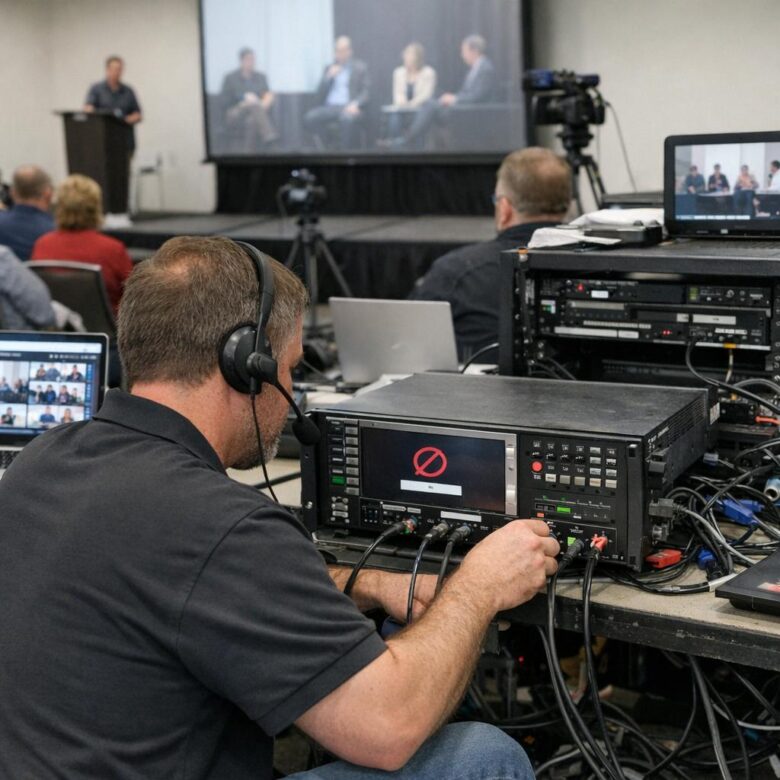
In real-world production, a common example is a presenter switching from slides to a live software demo and suddenly losing screen share because the capture device is not recognized. The on-site AV technician may fix it in minutes, but the remote audience experiences dead air, chat complaints, and lower trust in the event brand.
These failures also carry business costs. Conferences often involve AV rental services, video production crews, paid sponsors, event insurance, and premium streaming software, so downtime can affect revenue, renewal contracts, and attendee satisfaction. That is why reliable audiovisual planning is not just a technical detail; it is part of the event’s commercial risk management.
How to Build a Real-Time AV Failure Response Workflow for Hybrid Events
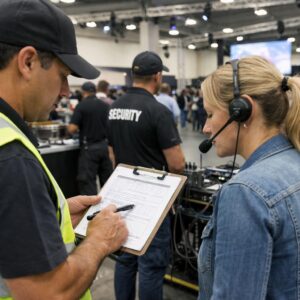
A strong AV failure response workflow starts before the audience enters the room. Assign one person to monitor the live stream, one to watch in-room audio and video, and one to communicate with speakers, sponsors, and the virtual event producer. In real hybrid conferences, the biggest delays often happen because everyone notices the issue, but nobody owns the next action.
Use a simple escalation path tied to specific failure types. For example, if a keynote speaker’s wireless microphone drops, the stage manager should switch them to a tested backup lavalier or handheld mic while the streaming operator checks whether the audio feed is still reaching Zoom Events, Vimeo, or the chosen virtual event platform. That split response protects both the physical room and remote attendees.
- First 30 seconds: confirm the fault, mute bad feeds, and switch to backup audio, camera, or presentation source.
- Next 2 minutes: notify the moderator and post a brief holding message for online attendees.
- After recovery: log the cause, equipment used, and any rental AV services or replacement devices needed.
One practical approach is to keep a shared incident board in Slack or Microsoft Teams with labels such as “audio,” “camera,” “network,” and “projector.” I’ve seen this prevent confusion during sponsor demos when a confidence monitor fails but the livestream remains fine. The team can fix the local display without interrupting the broadcast or damaging the attendee experience.
For higher-stakes events, budget for redundant internet, backup switchers, extra HDMI converters, and on-site AV support. The cost is usually easier to justify than refund requests, sponsor complaints, or losing a recorded session that could have become paid content after the conference.
Common AV Contingency Planning Mistakes That Put Remote and In-Person Attendees at Risk
One of the biggest mistakes is treating the livestream as a secondary output instead of a mission-critical experience. If the room microphone fails, in-person attendees may still hear the speaker, but remote participants on Zoom, Microsoft Teams, or a virtual event platform may lose the entire session. Always test the signal chain from microphone to mixer, encoder, internet connection, and cloud recording-not just the projector and speakers.
Another common issue is relying on a single point of failure. I have seen hybrid conferences lose keynote audio because one USB audio interface disconnected and no one had a backup routing plan. For paid tech events, that can create refund requests, sponsor complaints, and reputational damage.
- No backup internet: Use bonded cellular, a secondary ISP, or a managed event Wi-Fi service for livestream redundancy.
- No spare AV hardware: Keep backup microphones, HDMI converters, SDI cables, batteries, and a spare laptop ready.
- No defined escalation path: Assign who contacts the AV technician, venue IT support, streaming provider, and event manager.
A more subtle mistake is not rehearsing failure scenarios. A normal tech check confirms that equipment works; a proper AV contingency plan confirms what the team does when it does not. For example, if the main camera feed drops, the operator should know whether to switch to a wide backup camera, speaker slides, or a branded holding screen within seconds.
Good planning protects attendee experience, sponsor value, and event production cost. The goal is not perfection-it is controlled recovery.
The Bottom Line on Managing Audiovisual Equipment Failures During Live Hybrid Tech Conferences
AV failures are not prevented by equipment alone; they are controlled by disciplined planning and fast decision-making. For hybrid tech conferences, the strongest safeguard is a clear recovery path: tested backups, defined escalation roles, and communication protocols that protect both in-room and remote attendees.
- Invest first in redundancy for audio, network connectivity, and presentation feeds.
- Choose AV partners based on live-response capability, not just setup quality.
- Rehearse failure scenarios so teams act decisively under pressure.
The right goal is not perfection-it is keeping the event credible, connected, and moving.

Dr. Lucas Harrington is a technology and business events specialist focused on virtual conferences, hybrid event solutions, and professional networking platforms. He provides practical guidance for companies adapting to the future of digital events.