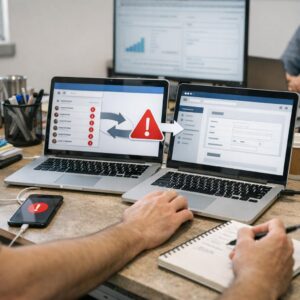
Most conference leads go cold before sales even opens the spreadsheet.
The real problem isn’t lead volume-it’s the delay, inconsistency, and manual follow-up that happens after the booth is packed up.
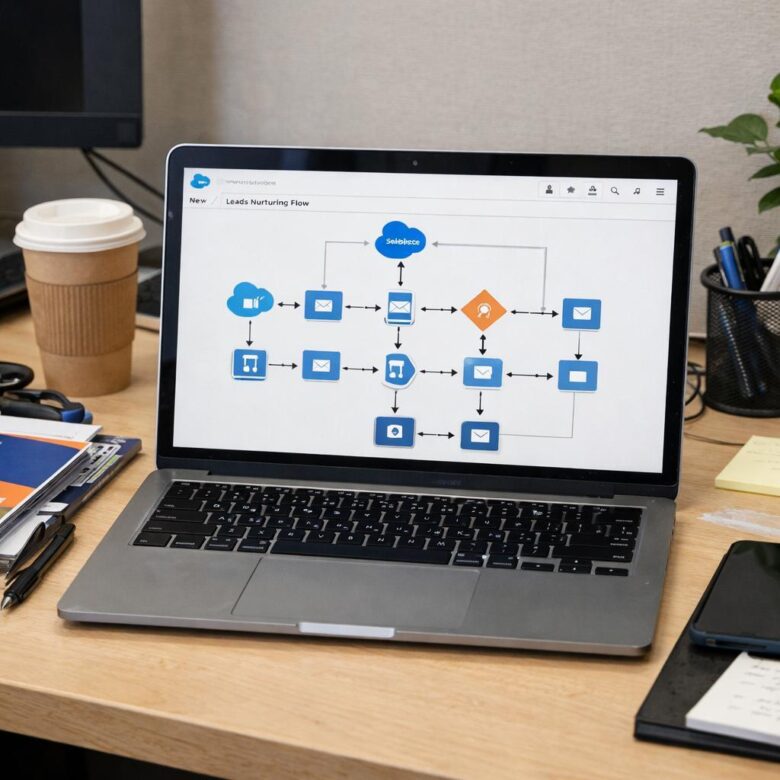
Salesforce can turn that post-event chaos into a structured nurturing engine: segmenting attendees, triggering personalized emails, assigning sales tasks, scoring engagement, and routing hot prospects automatically.
In this guide, you’ll learn how to automate post-conference lead nurturing workflows in Salesforce so every badge scan, demo request, and booth conversation moves into the right follow-up path-fast.
What Post-Conference Lead Nurturing in Salesforce Should Accomplish
Post-conference lead nurturing in Salesforce should do more than send a polite “nice to meet you” email. Its real job is to turn badge scans, booth conversations, demo requests, and session attendance into a prioritized sales pipeline with clear next steps.
A strong workflow should separate people who are ready for sales from those who need education first. For example, if a VP of Operations asks for pricing at a healthcare technology conference, Salesforce can create a high-priority task for an account executive, while a junior attendee who downloaded a brochure can enter a lower-touch email nurture sequence.
At a practical level, your post-event automation should accomplish three things:
- Segment leads accurately: Use fields like event name, product interest, job title, company size, and conversation notes.
- Trigger timely follow-up: Send personalized emails through tools like Salesforce Marketing Cloud, Account Engagement, or HubSpot within days, not weeks.
- Protect sales time: Route only qualified leads to reps based on lead scoring, buying intent, and CRM data quality.
In real event follow-up, the biggest failure is usually not lack of leads; it is messy handoff. If booth notes stay in spreadsheets or reps cannot see what was discussed, even expensive conference sponsorships lose value. Salesforce automation should create a reliable system where every lead gets the right message, the right owner, and a measurable path toward conversion.
How to Build Automated Lead Follow-Up Workflows After an Event in Salesforce
Start by separating event leads before they enter your regular sales pipeline. In Salesforce, create a campaign for the conference, trade show, or webinar, then assign every scanned badge, form submission, or imported attendee list to that campaign with clear member statuses such as “Visited Booth,” “Requested Demo,” or “Attended Session.”
The workflow should trigger based on intent, not just attendance. For example, a lead who asked about pricing at a cybersecurity conference should receive a same-day email from sales, while someone who only downloaded a brochure can enter a slower nurture sequence through Salesforce Marketing Cloud, Pardot, or HubSpot.
- High intent: create a task for a sales rep, send a personalized follow-up email, and set a 24-hour call reminder.
- Medium intent: send a case study, invite them to a product demo, and score engagement based on clicks.
- Low intent: add them to an educational email drip campaign with industry content and soft CTAs.
A useful real-world setup is using Salesforce Flow to check lead source, job title, company size, and campaign status before assigning ownership. I’ve seen teams waste days chasing unqualified badge scans because every lead was treated the same; routing by fit and behavior fixes that quickly.
Also, add safeguards for duplicate records and compliance. Use matching rules, email opt-in fields, and consent tracking before launching automated follow-up emails, especially if your event collected leads from multiple countries. This protects deliverability, reduces CRM cleanup costs, and gives sales teams cleaner data to work with.
Common Salesforce Lead Nurturing Mistakes That Reduce Conference ROI
One of the biggest mistakes is treating every badge scan like a sales-ready opportunity. After a conference, your Salesforce lead nurturing workflow should separate hot prospects, casual visitors, partners, students, and competitors; otherwise, your sales team wastes time and your email engagement drops.
A practical example: if someone requested a pricing demo at your booth, they should enter a fast-track sequence in Salesforce Marketing Cloud or Account Engagement, with a task created for an SDR within 24 hours. But if they only downloaded a brochure, they may need educational content, case studies, or a webinar invite before a sales call makes sense.
- No lead source detail: “Trade show” is too vague. Capture booth visit, session attendance, QR scan, demo request, or meeting booked.
- Delayed follow-up: Waiting a week kills momentum. Use Salesforce automation tools to trigger email campaigns and sales alerts immediately.
- Poor CRM hygiene: Duplicate leads, missing company names, and wrong job titles make lead scoring and campaign attribution unreliable.
Another common issue is pushing every contact into the same generic email sequence. In real event follow-up, a CFO comparing software cost and ROI needs different messaging than a marketing manager looking for integration benefits, CRM implementation services, or automation features.
Finally, many teams forget to connect campaigns, opportunities, and revenue in Salesforce reports. Without campaign influence tracking, you may know how many leads were collected, but not which conference actually produced pipeline, closed deals, or profitable customer acquisition.
Closing Recommendations
Effective post-conference nurturing in Salesforce comes down to speed, relevance, and accountability. The best workflows do more than send follow-up emails-they help sales and marketing act on intent while it is still fresh.
Practical takeaway: start with a simple automation model: segment leads, trigger timely outreach, score engagement, and route high-intent prospects quickly.
For teams deciding where to begin, prioritize the workflow that removes the biggest delay between booth conversation and meaningful follow-up. Once that gap is closed, Salesforce becomes a reliable system for turning event interest into qualified pipeline.
Dr. Lucas Harrington is a technology and business events specialist focused on virtual conferences, hybrid event solutions, and professional networking platforms. He provides practical guidance for companies adapting to the future of digital events.