What if your best event leads are already stale by the time they reach marketing?
When event apps fail to sync cleanly with enterprise marketing platforms, the damage is immediate: missing attendees, duplicate records, broken segmentation, and follow-ups that arrive too late to matter.
These errors rarely come from one obvious source. They usually hide in field mapping, API limits, consent rules, identity matching, timestamp conflicts, and disconnected workflows between event, sales, and marketing teams.
This article breaks down how to diagnose data sync failures, prevent revenue-critical lead loss, and build a more reliable connection between your event technology and marketing automation stack.
Why Data Sync Errors Happen Between Event Apps and Enterprise Marketing Platforms
Data sync errors usually happen because event apps and enterprise marketing platforms do not define attendee data the same way. An event app may capture “Company Name,” while Salesforce Marketing Cloud expects “Account Name,” or a badge scan may create a lead without the required email consent field. Small mapping gaps like this can break automation, delay follow-up emails, and increase campaign operations cost.
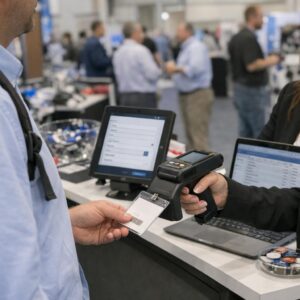
Another common issue is timing. Event apps often collect data in real time from check-ins, session scans, lead retrieval devices, and mobile forms, while platforms like HubSpot, Marketo, or Eloqua may sync in batches or apply validation rules before accepting records. I have seen post-event nurture campaigns miss hot leads simply because the integration processed badge scans after the first email workflow had already started.
- Field mapping conflicts: mismatched names, formats, picklists, or required fields.
- Duplicate records: attendees register with one email but scan booths using another.
- API or permission limits: expired tokens, rate limits, or restricted CRM access.
Privacy and consent rules add another layer. If GDPR, CCPA, or opt-in preferences are stored differently across systems, the marketing platform may reject or suppress valid event records. The practical fix starts before the event: audit required fields, test sample registrations, confirm API permissions, and run a small end-to-end sync test using real campaign logic-not just a basic connection check.
How to Diagnose and Fix Event-to-Marketing Platform Sync Failures
Start by confirming where the sync breaks: the event app, the middleware, or the marketing automation platform. In real projects, I often see teams blame the CRM when the actual issue is a missing required field in the event registration form, such as company name, consent status, or country code.
Check the sync logs first in tools like HubSpot, Marketo, Salesforce Marketing Cloud, Zapier, or your event platform’s integration dashboard. Look for rejected records, API timeout errors, duplicate email conflicts, invalid picklist values, and permission failures. These messages usually point to the fix faster than manually reviewing contact records.
- Field mapping: Make sure event fields match the exact data type and format expected by the marketing platform.
- Consent and compliance: Verify GDPR, CCPA, and email opt-in values are passing correctly before adding contacts to campaigns.
- API limits: Large events can exceed daily API call limits, especially during check-in or post-event follow-up automation.
For example, a webinar platform may send “United States” while Salesforce expects “US,” causing lead creation to fail silently or queue indefinitely. The practical fix is to normalize values through middleware, such as Workato, Make, or Zapier, before the data reaches the CRM or email marketing software.
After fixing the issue, run a controlled test with five to ten sample attendees before resyncing the full list. This prevents duplicate leads, broken attribution, inaccurate lead scoring, and wasted advertising spend from poorly segmented remarketing campaigns.
Preventing Future Sync Issues with Data Governance, Field Mapping, and Integration Monitoring
Most recurring sync errors start long before the API call fails. They usually come from weak data governance: unclear field ownership, inconsistent naming rules, duplicate attendee records, or required fields that exist in the marketing automation platform but not in the event app.
Create a shared field mapping document for your event technology stack and keep it version-controlled. For example, if job title is collected as free text in an event app but mapped to a standardized persona field in Marketo Engage or Salesforce Marketing Cloud, define the transformation rules before registration opens.
- Standardize required fields: email, consent status, country, event ID, lead source, and campaign ID should have consistent formats.
- Use controlled values: dropdowns for industry, region, and attendee type reduce CRM data cleanup costs.
- Document sync logic: note whether updates overwrite existing records, append activity history, or trigger nurture workflows.
Integration monitoring is just as important as configuration. Set up alerts in tools like Zapier, MuleSoft, or native platform connectors when API limits, authentication failures, or field validation errors occur.
In real event operations, the best teams review sync logs during peak registration periods, not after the campaign has already launched. A simple daily check can catch issues such as consent fields failing to pass into a GDPR-compliant email marketing system, preventing both lost leads and compliance risk.
Finally, schedule a post-event data audit. Compare attendee counts, campaign membership, lead scores, and email opt-in status across platforms so future integrations become easier, cheaper, and more reliable.
Key Takeaways & Next Steps
Reliable event-to-marketing sync is not just a technical fix; it is a revenue safeguard. The best approach is to treat data flow as a governed process with clear ownership, validated integrations, and continuous monitoring.
Practical takeaway: prioritize platforms and connectors that support field mapping control, real-time error visibility, consent compliance, and scalable automation. If sync issues are recurring, do not rely on manual cleanup as a long-term solution.
Choose tools and workflows that make errors easy to detect, explain, and resolve before they affect segmentation, lead scoring, follow-up speed, or campaign performance.

Dr. Lucas Harrington is a technology and business events specialist focused on virtual conferences, hybrid event solutions, and professional networking platforms. He provides practical guidance for companies adapting to the future of digital events.