What if half your audience is technically “attending” but practically invisible?
Hybrid events promise broader reach, but they often create two unequal experiences: one for people in the room and another for remote attendees watching from the margins.
The real challenge is not streaming content; it is designing participation so every attendee can contribute, connect, and feel present regardless of location.
Bridging this engagement gap requires intentional formats, smarter technology, and a shift from broadcasting to building shared moments.
What Creates the Engagement Gap in Hybrid Events?
The engagement gap usually starts with unequal access to attention. In-person attendees get hallway conversations, body language, sponsor booths, and live energy, while remote attendees often receive a flat livestream with limited interaction. Even with a strong hybrid event platform like Zoom Events, poor audio, weak camera angles, or delayed chat moderation can make virtual participants feel like spectators instead of participants.
Another common issue is designing the agenda around the room first and treating the online audience as an add-on. For example, I’ve seen panel sessions where the moderator took questions only from people near the stage, while dozens of valuable questions sat unanswered in the virtual Q&A. That creates frustration and lowers the perceived value of the ticket, especially for paid conferences, corporate training, and lead-generation webinars.
The gap is usually caused by a mix of planning, technology, and facilitation problems:
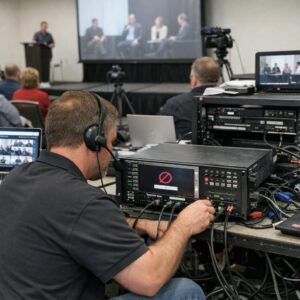
- AV production quality: unclear microphones, single-camera setups, and unreliable live streaming services reduce trust and attention.
- Weak audience engagement tools: no live polls, networking rooms, event app notifications, or real-time Q&A limits participation.
- No dedicated remote host: virtual attendees need someone monitoring chat, surfacing questions, and guiding them through the experience.
The fix starts before the event goes live. Choose event management software that supports attendee analytics, sponsor visibility, session feedback, and networking features, then assign staff to manage both audiences separately. Hybrid engagement improves when remote participation is designed as a premium experience, not just a cheaper broadcast option.
How to Design Inclusive Participation for Remote and In-Person Attendees
Inclusive hybrid event design starts before anyone joins the room. Treat remote attendees as active participants, not a livestream audience, by planning how they will ask questions, join discussions, access materials, and network with speakers or sponsors.
A practical setup is to assign a dedicated “remote advocate” who monitors chat, Q&A, polls, and technical issues in tools like Zoom, Microsoft Teams, or a hybrid event platform such as Hopin. In real corporate meetings, this role often makes the biggest difference because the in-room host is usually focused on the stage, timing, and audience energy.
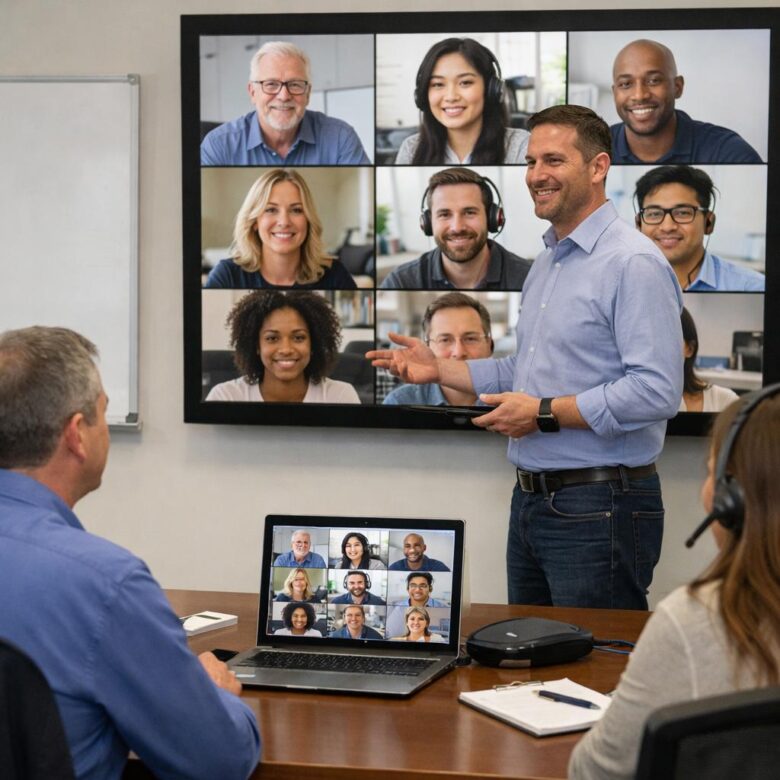
- Use equal-access engagement tools: run polls, live Q&A, and breakout rooms that include both remote and in-person attendees.
- Invest in reliable AV: good conference room microphones, cameras, and video conferencing equipment are not optional if remote guests need to follow conversations clearly.
- Design the agenda for both groups: add short pauses after presentations so online participants can submit questions before the moderator moves on.
For example, during a hybrid training session, an in-person group can discuss a case study at their table while remote attendees work in breakout rooms. The facilitator then brings both groups back and compares answers, making the experience shared rather than separate.
Also consider the cost and benefits of event management software that supports registration, session tracking, attendee engagement analytics, and sponsor visibility. The right platform can reduce manual coordination and help organizers see whether remote participants are actually engaging-not just logged in.
Common Hybrid Event Mistakes That Make Remote Audiences Feel Secondary
One of the fastest ways to lose virtual attendees is designing the event around the room and treating the livestream as an add-on. If the camera is placed at the back, slides are unreadable, or questions from the chat are ignored, remote participants quickly realize they are watching, not participating.
A common mistake is using weak audio equipment. In real hybrid meetings, remote attendees usually tolerate average video, but they will leave when they cannot hear panelists, audience questions, or side discussions clearly. Investing in proper microphones, audio mixers, and a reliable platform like Zoom Events, Hopin, or Microsoft Teams often delivers more value than upgrading stage décor.
- No dedicated virtual moderator: Someone must watch chat, surface questions, and solve access issues in real time.
- In-room-only networking: Coffee breaks should include virtual breakout rooms or hosted discussion tables.
- Late or missing digital materials: Remote attendees need slides, agendas, sponsor links, and replay access without asking.
For example, at a corporate training event, the in-person group may ask questions using handheld microphones while online attendees are told to “drop questions in the chat.” If the presenter only answers people in the room, the online audience feels invisible. A better approach is alternating between room questions and virtual questions, with the moderator naming remote attendees when appropriate.
The goal is not to make both experiences identical. It is to make both feel intentionally designed, supported, and worth the registration cost.
Final Thoughts on Bridging the Engagement Gap Between In-Person and Remote Attendees
The engagement gap closes when remote participation is treated as a core event experience, not a secondary access point. The practical takeaway is clear: design every session, interaction, and follow-up with both audiences in mind from the start.
Decision guidance: invest in formats, tools, and facilitation that make contribution easy, visible, and valuable for everyone. If a choice improves convenience but weakens connection, rethink it. The best hybrid events do not simply broadcast the room; they create one shared experience where location no longer determines influence, access, or impact.

Dr. Lucas Harrington is a technology and business events specialist focused on virtual conferences, hybrid event solutions, and professional networking platforms. He provides practical guidance for companies adapting to the future of digital events.